The WRM Portal
Using the portal to access COSHH and RAMS
The other day I was assisting a member with various documents a potential customer was after as a result of winning a tender for a pest control contract, the usual documents had been requested from the customer; evidence of membership to a trade association, training certificates, insurance certificates, a breakdown of costs etc but also any relevant COSHH assessments and RAMS connected with the work our member was going to provide.
There are two ways to do this, upload you own documents from scratch or tap into the WRM portal via our website.
Some people run a mile when it comes to going onto a technical portal and get lost in the process ending up in an abyss of technical confusion, yes, you are not alone!
So you may not know that the WRM (Workplace H&S portal on our home page) is a really great source of information, training, CPD, document storage, system checker; in fact you can load up all the things you would otherwise file away (to then forget where you put them) onto the system.
I had a folder that contained a copy of all my company documents should anyone ask for them, then every year I would dig it out and review all the RAMS and COSHH assessments, Safe Working Practices and any other documents that needed reviewing in order to update them, I’d find documents that were out of date as they didn’t run January to January, so I had to make a note of when each individual document ran out so to speak. What a palaver!!
The WRM can do all this for you, notifying you when checks are required, MOT due reminders, insurance reminders, COSHH updates, all you do is set a date into the system when you upload a document and it will remind you when documents need updating each time you go into the portal.
So, I sent a member a few screenshots of how to access the portal so he could download the COSHH and RAMS templates he was after, its ever so simple:
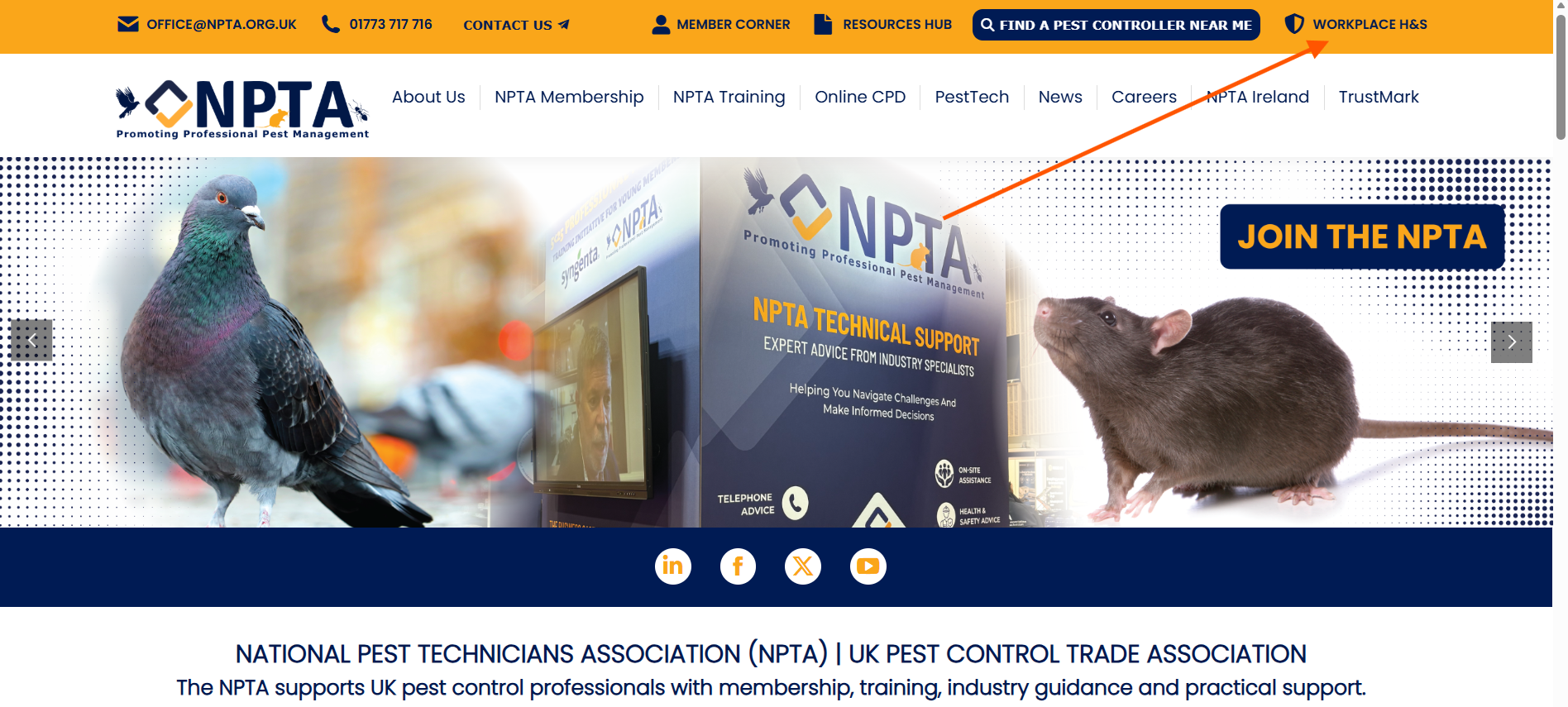
1) Go onto our home page an click on the portal link, as indicated by the red arrow;
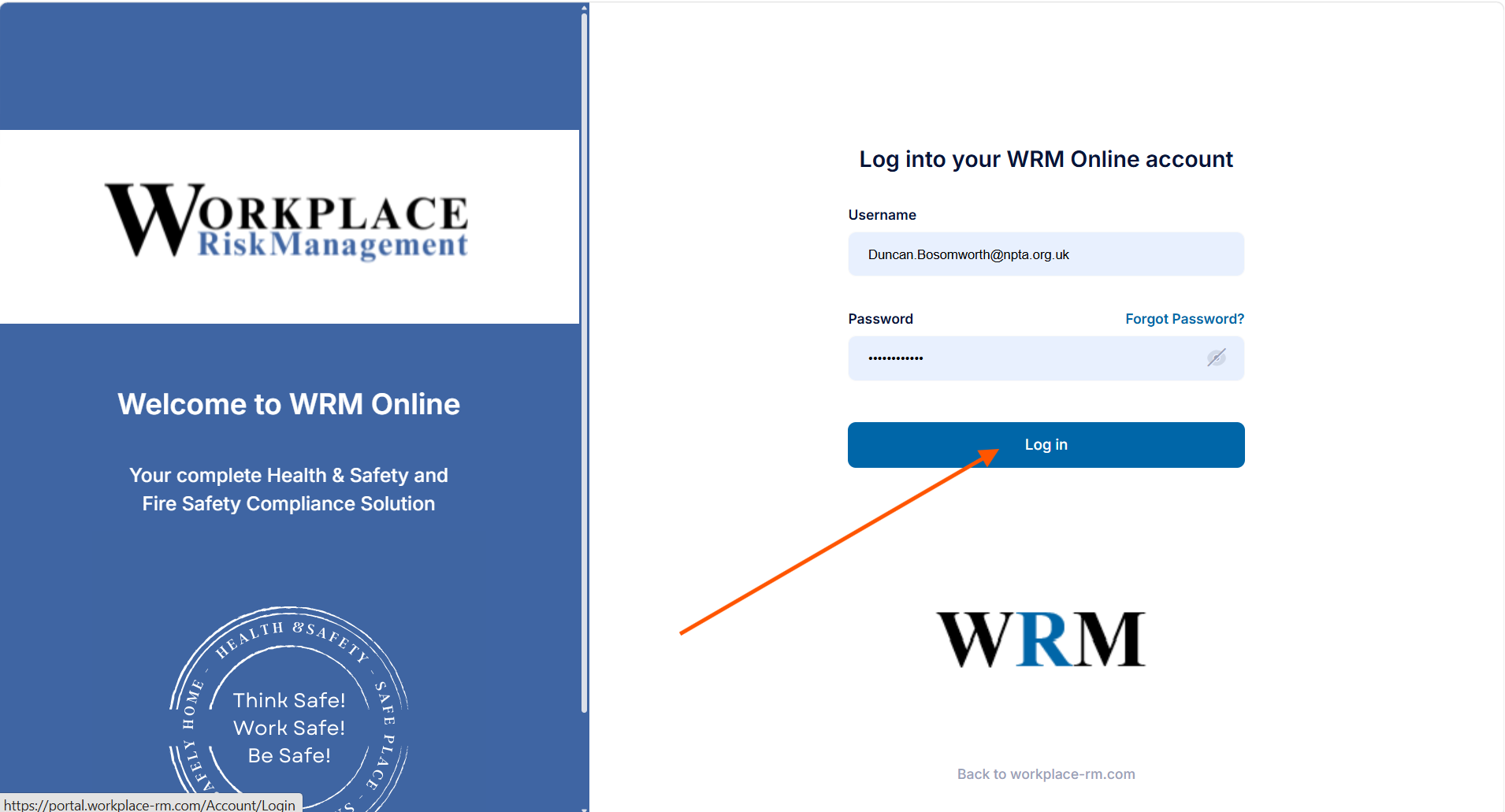
2) When you are in you will see this screen (if you haven’t got login details already, phone our office to register, once you have this you will be logged in automatically each time)
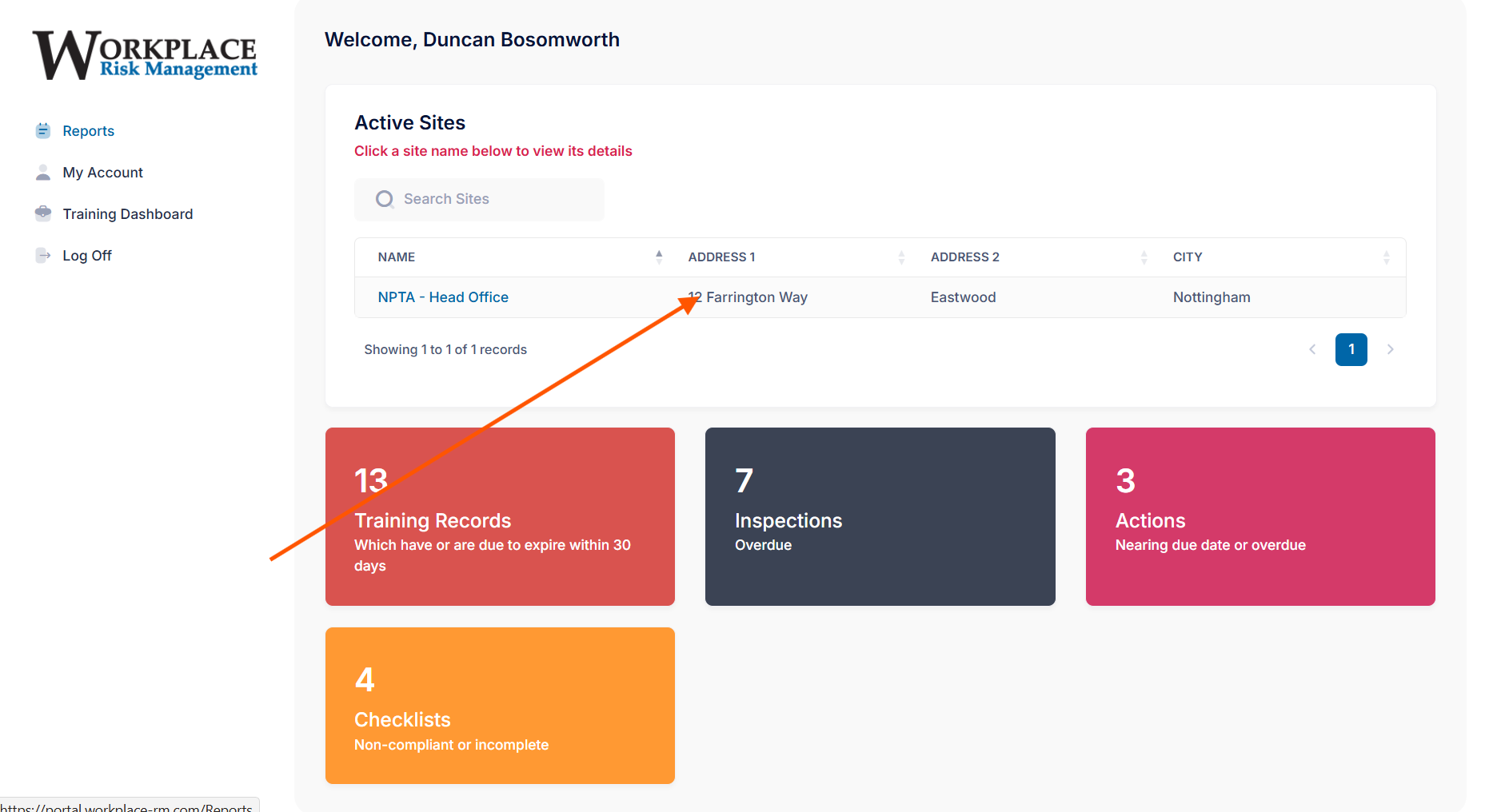
3) The next screen will appear (your details will appear where the red arrow is pointing, you simply click here)
4) The next screen takes you to a choice of 8 dropdown tabs that allow you to store and create all the various documents that would otherwise be in a filing cabinet or on your hard drive somewhere. (to access COSHH and RAMS, you’d click on “documents”)
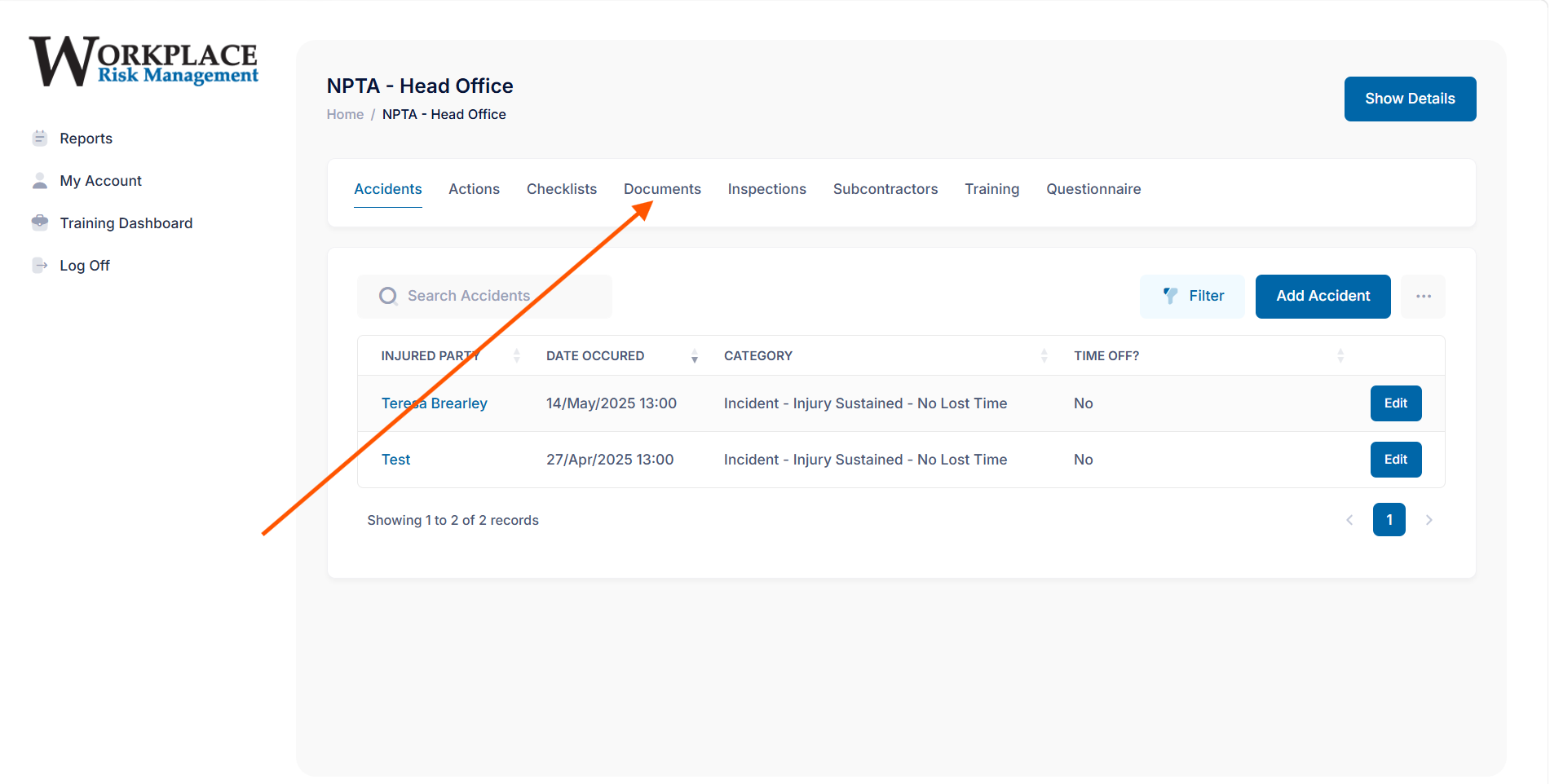
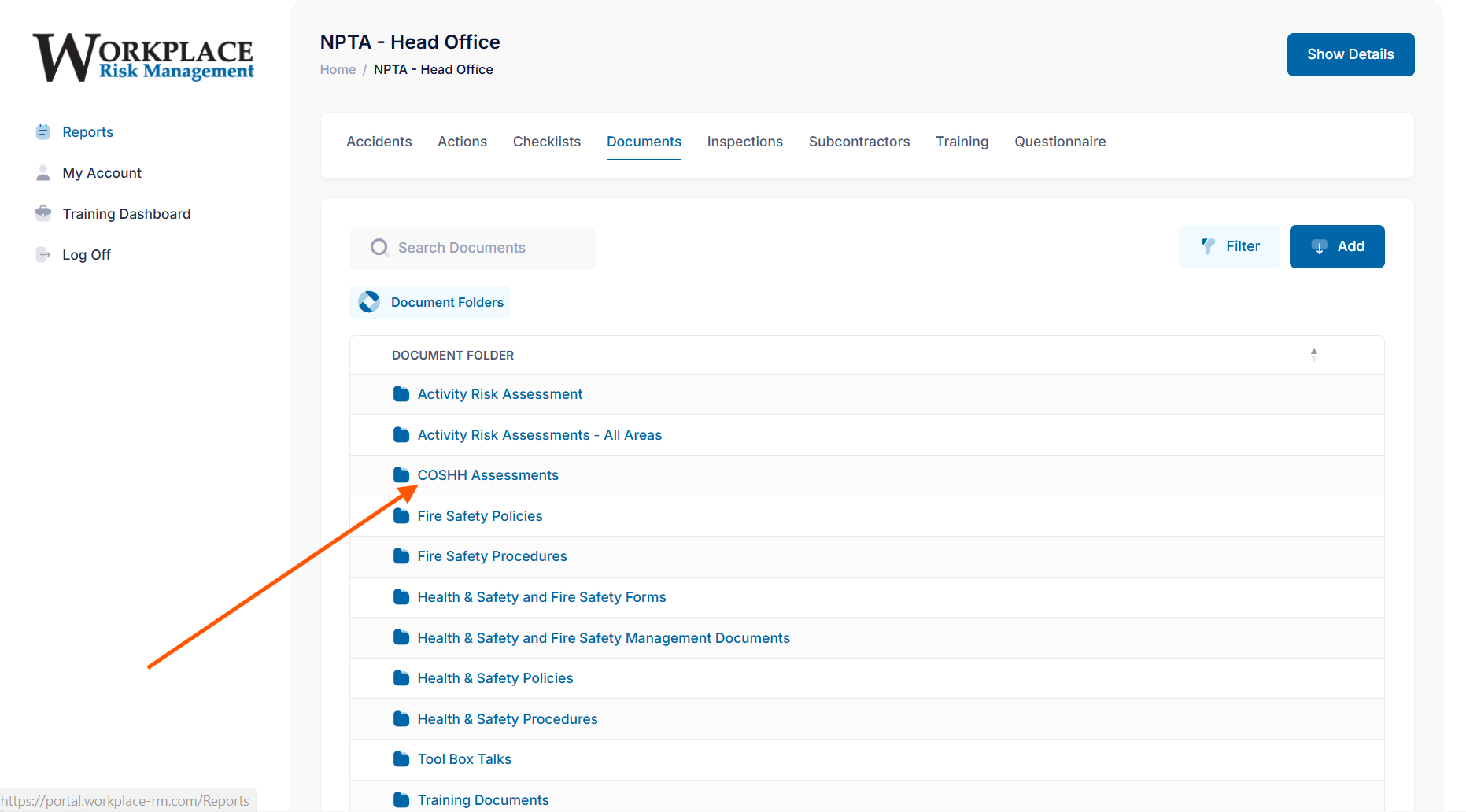
5) Clicking on “COSHH Assessments” would take you to examples of various well known products ( that you can edit, add your company name) or simply use it as a template to create assessments of other products)
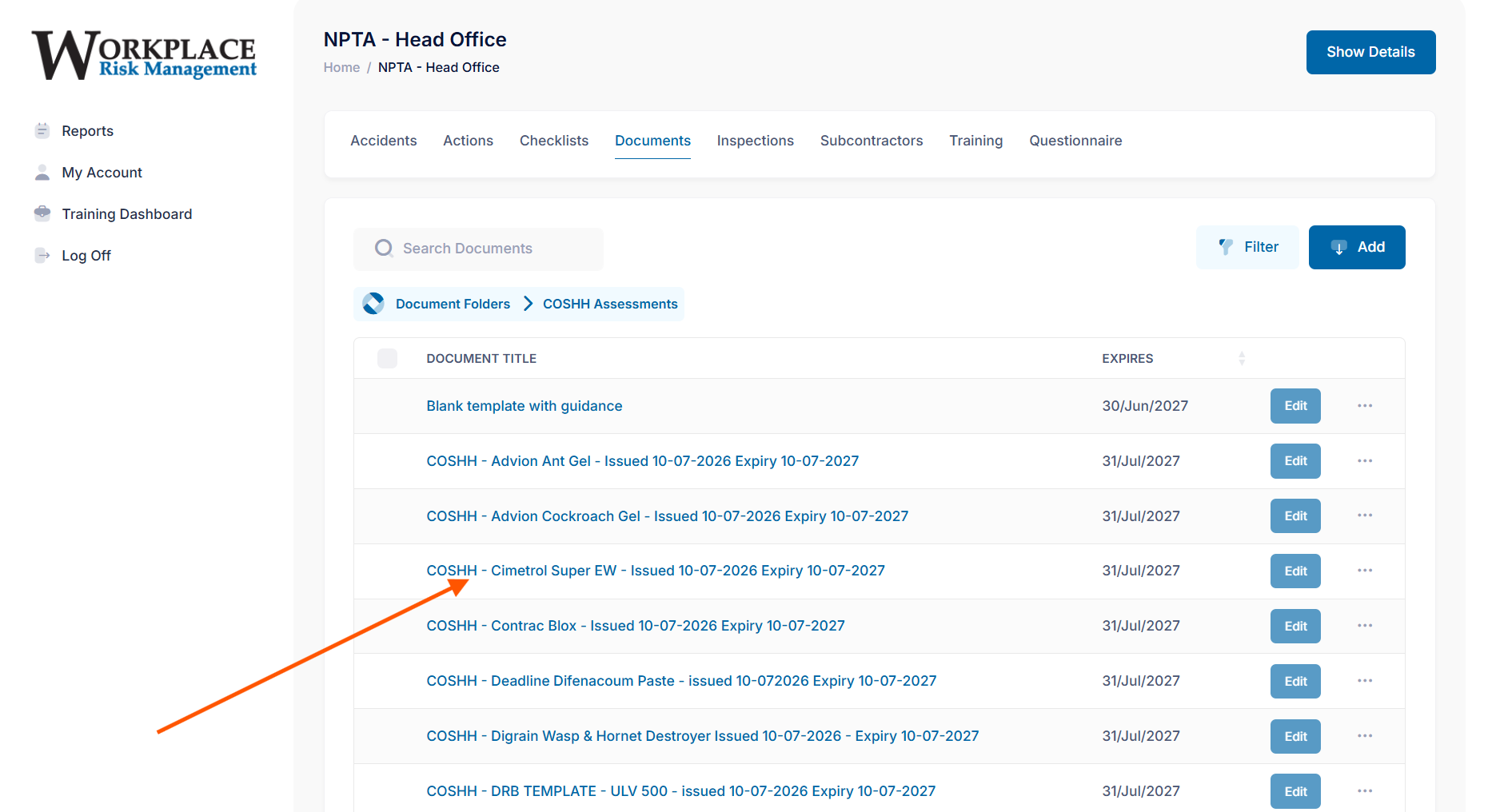
6) A list of well-known products will appear, all you have to do is to select one by clicking on the product you have chosen
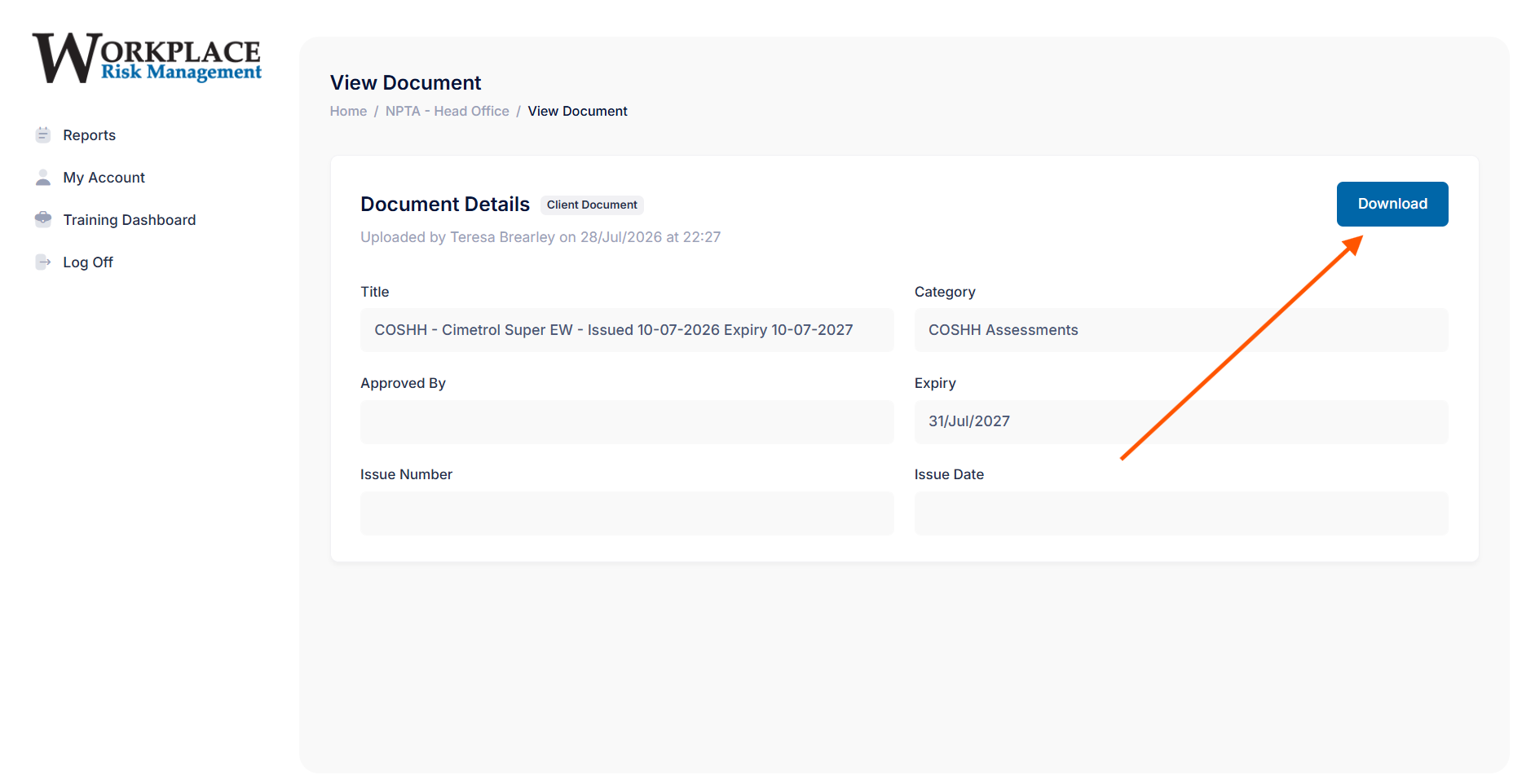
7) Clicking on a product brings you to the next screen that has a “Download” icon, click on this and you will have access to the document, ready to read through it and edit it to suit your own needs, and that’s it.
The WRM portal is an invaluable aid to anyone running a pest control company, no matter the size. Above is the way into COSHH assessments, getting into the RAMS section is the same process and the Training Dashboard is accessible wherever you are in the system. The portal is free to any member of the NPTA.